



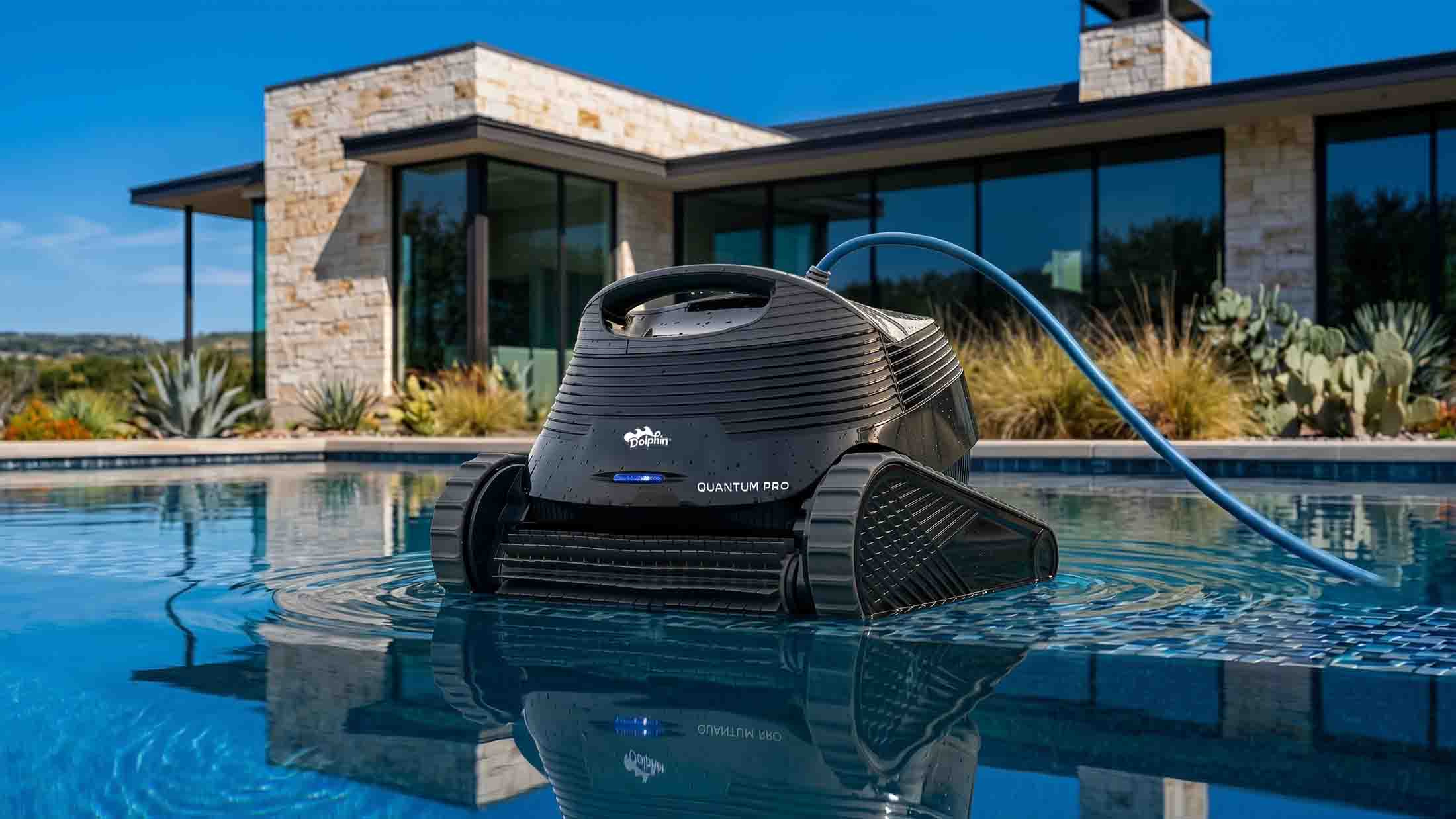
By budget
The best robotic pool cleaner under $700: what the Dolphin Escape includes.
Top pick: Dolphin Escape
Live prices · Ships free · 30 Day Trial
One robot fits this budget, in its standard form. This page covers what the Escape does, what it leaves out, and when to wait for the next robot up.
The quick answer
Under $700 our pick is the Dolphin Escape in its standard form, without the optional Automation Timer. It is rated for above-ground and in-ground pools up to 33 ft, cleans floor and walls in 1.5 hours, has a top-load MaxBin and a 2-year warranty, and weighs 14.2 lb. This budget does not include waterline cleaning, a standard timer, an app or a swivel cable. The next step up is the Cayman.
The best robotic pool cleaner under $700 comes from a short list. Of the five Dolphins this guide compares, one lists under that figure: the Escape, in the version that comes with the standard power supply. The version with the Automation Timer costs more, and every other robot here costs more again. Prices change, so treat the live price on the card as the final word.
A one-robot shortlist still deserves a careful look, because a robot is only a good buy if it fits your pool and your habits. The Escape is a capable floor-and-wall robot. It is also the entry point among the five Dolphins in these guides, and it gets there by leaving things out. The sections below set out both lists, and a normal week of owning one, so nothing comes as a surprise after it arrives.
The picks, ranked
The robot that fits under $700.
$959$659Save $300 off the list price
Temporarily out of stock
Pick 1: The one robot here under $700
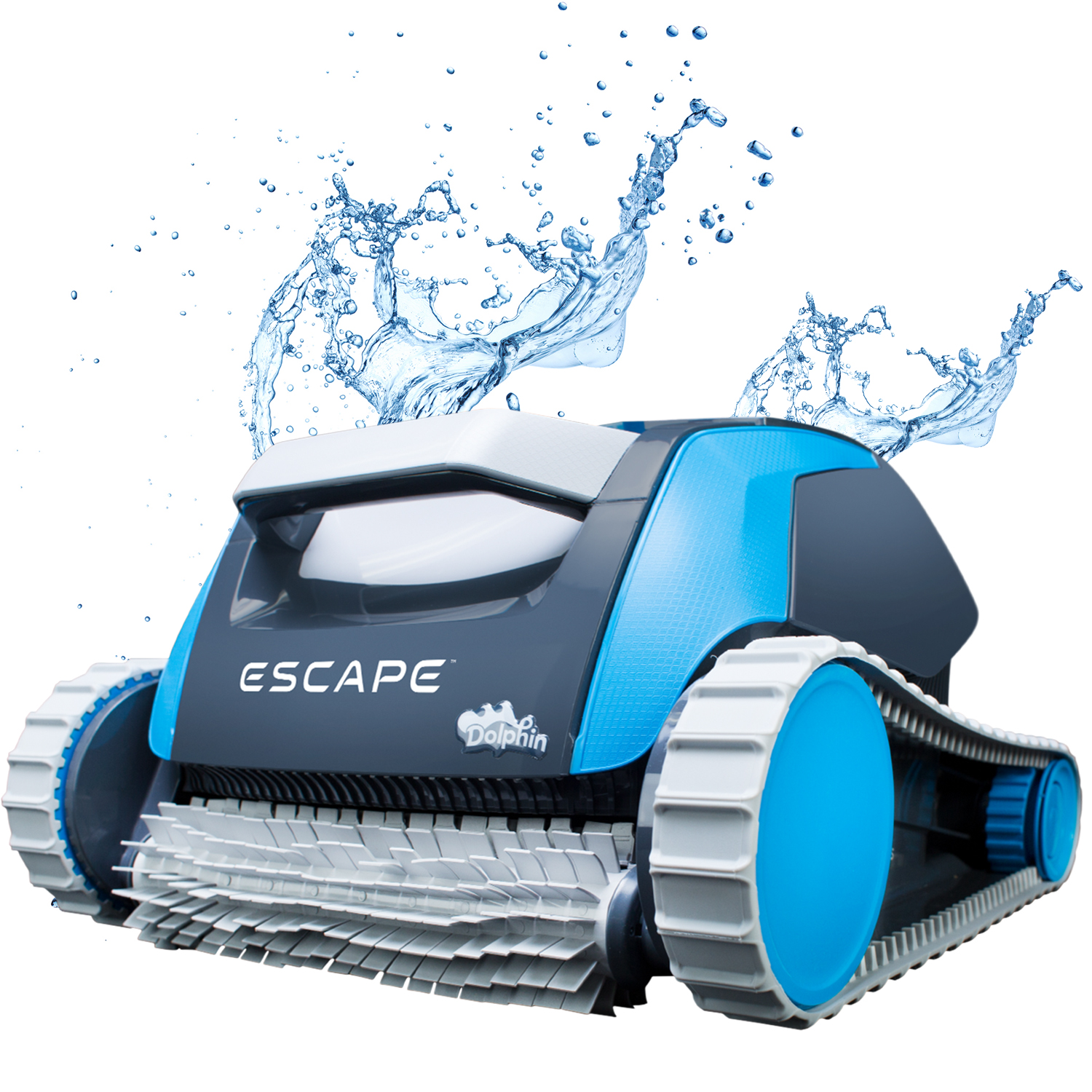
Dolphin Escape
The Escape fits this budget in its standard version and does the two jobs that take the most time by hand: vacuuming the floor and brushing the walls. A HyperBrush spinning at twice the speed of standard Dolphin brushes does the scrubbing, HyperGrip tracks do the climbing, and SmartNav 2.0 guides it around the pool. A cycle takes 1.5 hours, the shortest of the five Dolphins compared here.
Ownership is light in every sense. The robot weighs 14.2 lb, the MaxBin lifts out of the top for rinsing, and the warranty runs 2 years. It is published for vinyl liner, gunite, fiberglass and tile, in round, oval, rectangular and freeform pools.
- Best for
- Above-ground pools and in-ground pools up to 33 ft whose owners are happy to start each cycle themselves.
- The trade-off
- No timer in this version, no waterline cleaning, no app and no swivel on the 40 ft cable. Not for pools longer than 33 ft.

What to look for
What to check before you buy at this budget.
-
Pool length and type.
The Escape takes above-ground and in-ground pools up to 33 ft. Use the pool's longest straight side for that check, not corner to corner. Inside the limit it is correctly sized. Beyond it, no robot under $700 in this guide is, and buying one anyway means asking it to do a job it is not rated for.
-
Cable reach.
There is 40 ft of cable and no swivel. Walk the route it would take from the power supply to the far wall and measure it. Round above-ground pools wider than about 24 ft are where this matters most: there the cable, not the 33 ft rating, is the practical limit, so measure before ordering.
-
Whether you mind pressing start.
With the standard power supply there is no timer. Each cleaning begins when you walk out and start it. For an owner who is at the pool most days that is no burden. For one who wants the pool cleaned while away, it is the main reason to look higher.
-
The tile line.
This is a floor-and-wall robot. It does not scrub the waterline, so the band at the water's surface is still yours to brush. If your tile line builds up quickly and brushing it is the chore you most want rid of, weigh that before buying.
A normal week with the standard Escape.
Without a timer, the routine is yours to set, and it is simple. Lower the robot into the pool, let it sink, lay the cable out straight and start it at the power supply. It works for 1.5 hours and stops. When it is done, draw it up, let it drain, lift out the MaxBin and rinse it with a hose.
How often depends on the pool. Two or three cycles a week is a common routine; a pool under trees in fall may want one a day. Lift the robot out ahead of any shock treatment or chemical top-up. If starting it by hand several times a week sounds like a chore you will skip, that is the signal to look at the timer version or the robot above it.
What this budget does not include.
Every item below is available on a robot further up the range, and none of them is on the standard Escape. It is better to read the list now than to discover it later.
- Waterline cleaning. The robot stops at floor and walls; the tile line is brushed by hand.
- A timer as standard. Scheduled cycles need the optional Automation Timer power supply, which costs more.
- An app. There is no phone control of any kind.
- A swivel cable. The 40 ft cable needs laying out straight, and an occasional untwist.
- A 50 ft rating. The limit is 33 ft.
When to wait for the Cayman instead.
The next robot up is the Cayman, and for some pools it is worth the wait. It is also rated to 33 ft and also cleans floor and walls, so it does not change the coverage. What changes is reach and routine: a 50 ft cable in place of 40 ft, a timer as standard that runs a cycle every day, and published handling of steps, ladders, drain covers and ledges.
That adds up to a better match for an in-ground pool with a longer cable run, or for an owner who will not be there to press start. For an above-ground pool where you are outside most days anyway, the Escape does the same cleaning for less.
Getting the most from an Escape.
- Choose a power-supply spot, at the setback the manual specifies, from which the 40 ft cable reaches every wall.
- Lay the cable out straight on the deck before each start. With no swivel, this one habit prevents most tangles.
- Rinse the MaxBin after each cycle or two. A clean filter keeps the robot climbing.
- Tie starting the robot to something you already do, such as the morning coffee or the evening skim, so cycles are not forgotten.
- Brush the tile line once a week while the robot handles everything below it.
Questions, answered
Questions about the Escape under $700.
Is a timer included with the Escape at this price, or is it optional?
It is optional. The version that lists under $700 has the standard power supply, so you start each cycle yourself. The Automation Timer power supply is an upgrade that runs a cycle every 24, 48 or 72 hours, and that version costs more.
How often should I run the Escape?
As often as the debris calls for. In ordinary conditions that tends to be a few times a week, rising to daily when leaves are falling or after a storm. Each cycle is 1.5 hours. Run it when nobody is swimming, and empty the basket afterward.
Is 40 ft of cable enough for my pool?
It depends on where the power supply sits. Measure from that spot to the farthest point the robot has to reach, following the route the cable will take. If the answer is comfortably under 40 ft, yes. On round pools larger than about 24 ft the run gets long, and the Cayman's 50 ft cable is the safer choice.
Can a robotic pool cleaner under $700 handle an above-ground pool?
Yes. The Escape is made for above-ground pools as well as in-ground ones, up to 33 ft, and its published surfaces are vinyl liner, gunite, fiberglass and tile. If an in-ground pool has a finish outside that list, such as pebble or plaster, check with us before ordering. The Cayman's published surfaces include both.
Do I need NanoFilter panels with the Escape?
Not to start with. The MaxBin handles leaves, sand and everyday debris as supplied. NanoFilter panels are an optional add-on for very fine material such as silt or pollen. Buy the robot, see what your pool leaves behind, and add them only if you need to.
The bottom line
Who should buy at this budget.
Buy the standard Escape if the pool is above-ground or an in-ground pool up to 33 ft, the cable run is within 40 ft, and starting a cycle by hand a few times a week suits you. Wait for the Cayman if you need more cable or a timer that runs daily without you. And if the tile line or a pool over 33 ft is the real problem, no robot under $700 here solves it, so save toward one that does.
More buying guides
