



By feature
The best robotic pool cleaner with Bluetooth, and the Wi-Fi alternative.
Top pick: Dolphin Sigma
Live prices · Ships free · 30 Day Trial
Bluetooth is the link that works when your home network does not reach the pool. One robot here has it, and we will not pretend otherwise.
The quick answer
The Dolphin Sigma is the pick, and the only one of the five Dolphins compared here whose spec sheet lists Bluetooth: its myDolphin Plus app connects over Wi-Fi and Bluetooth, so your phone can reach the power supply directly at the poolside. If your home Wi-Fi covers the equipment pad, the Dolphin Quantum gives you app control over Wi-Fi for less. It does not list Bluetooth.
People ask for Bluetooth for a practical reason. The pool equipment sits at the far end of the yard, the router sits at the front of the house, and the Wi-Fi fades somewhere around the patio door. A robotic pool cleaner with Bluetooth sidesteps the network: the phone talks straight to the robot's power supply, no router involved.
The honest answer at QuantumRobotic.com is a short one. Of the five Dolphins here, the Sigma is the one whose specifications state Wi-Fi and Bluetooth. The Quantum has an app too, and it runs over Wi-Fi; we do not claim Bluetooth for it. The Premier, Cayman and Escape have no wireless control of any kind. So this is close to a one-pick page, with the Quantum included for owners whose real need is app control, not Bluetooth as such.
The picks, ranked
One Bluetooth robot, and the Wi-Fi alternative.
$2999$2349Save $650 off the list price
Temporarily out of stock
Pick 1: The one robot here that lists Bluetooth
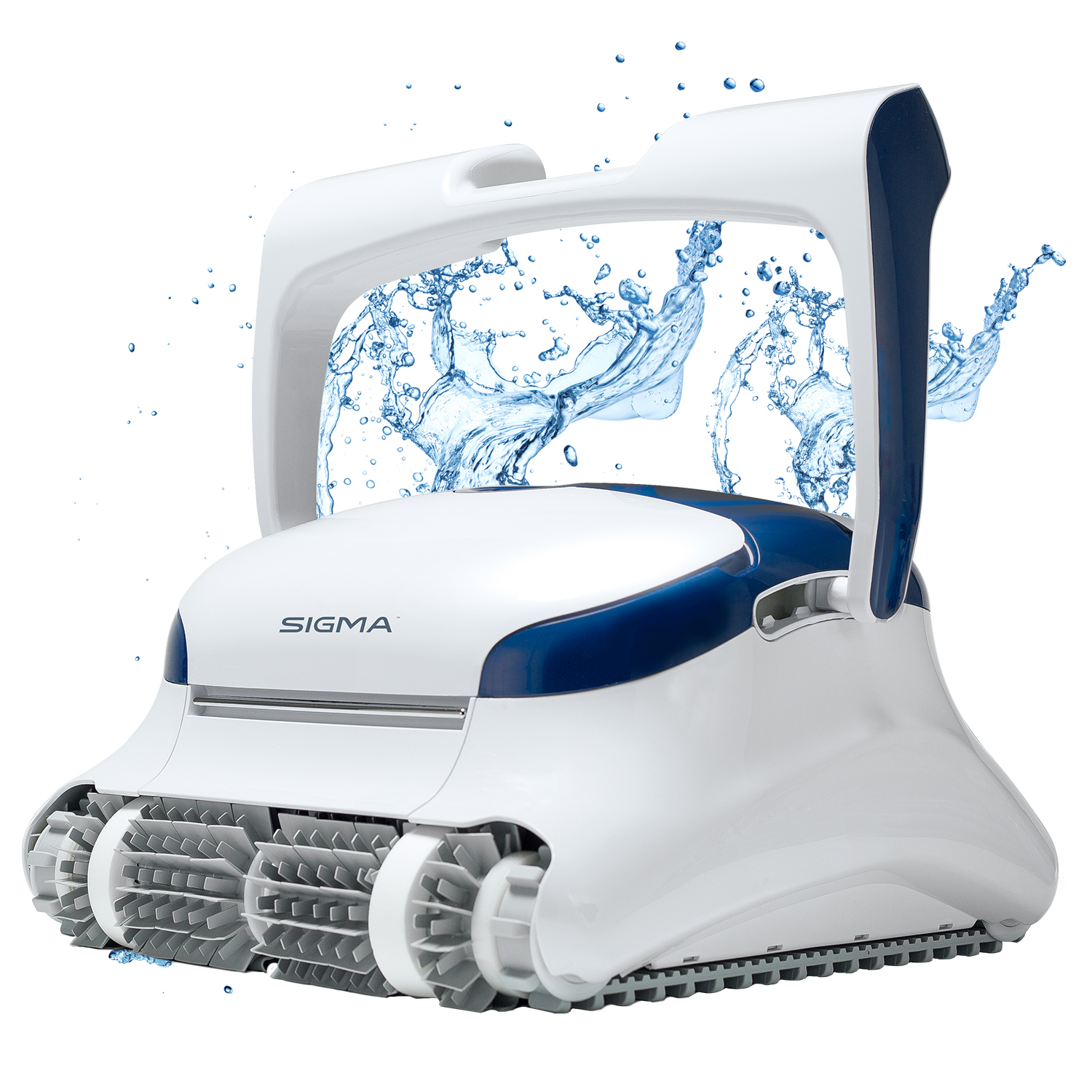
Dolphin Sigma
The Sigma's myDolphin Plus app connects over Wi-Fi and Bluetooth, and of the five Dolphins compared in this guide it is the only one whose spec sheet says so. With Bluetooth your phone reaches the power supply directly, so you can start a cycle, check on it or set the weekly scheduler from a deck chair even when the house network gives out short of the pool. With Wi-Fi in range as well, the same app works from indoors. It adds a filter alert and Siri voice control.
You are also buying the most heavily equipped robot here: three commercial-grade ProLine motors moving 4,500 GPH, quad scrubbing brushes, SmartNav 3.0 with a gyroscope, NanoFilters included and a 3-year warranty. It cleans floor, walls and waterline in pools up to 50 ft.
- Best for
- Pools where home Wi-Fi does not reach the power supply, and owners who want every connected feature.
- The trade-off
- Highest price of the robots in this guide and 24.6 lb to lift. Bluetooth works at the poolside; control from farther away still needs Wi-Fi.
$1999$1599Save $400 off the list price
Temporarily out of stock
Pick 2: App control over Wi-Fi, without Bluetooth
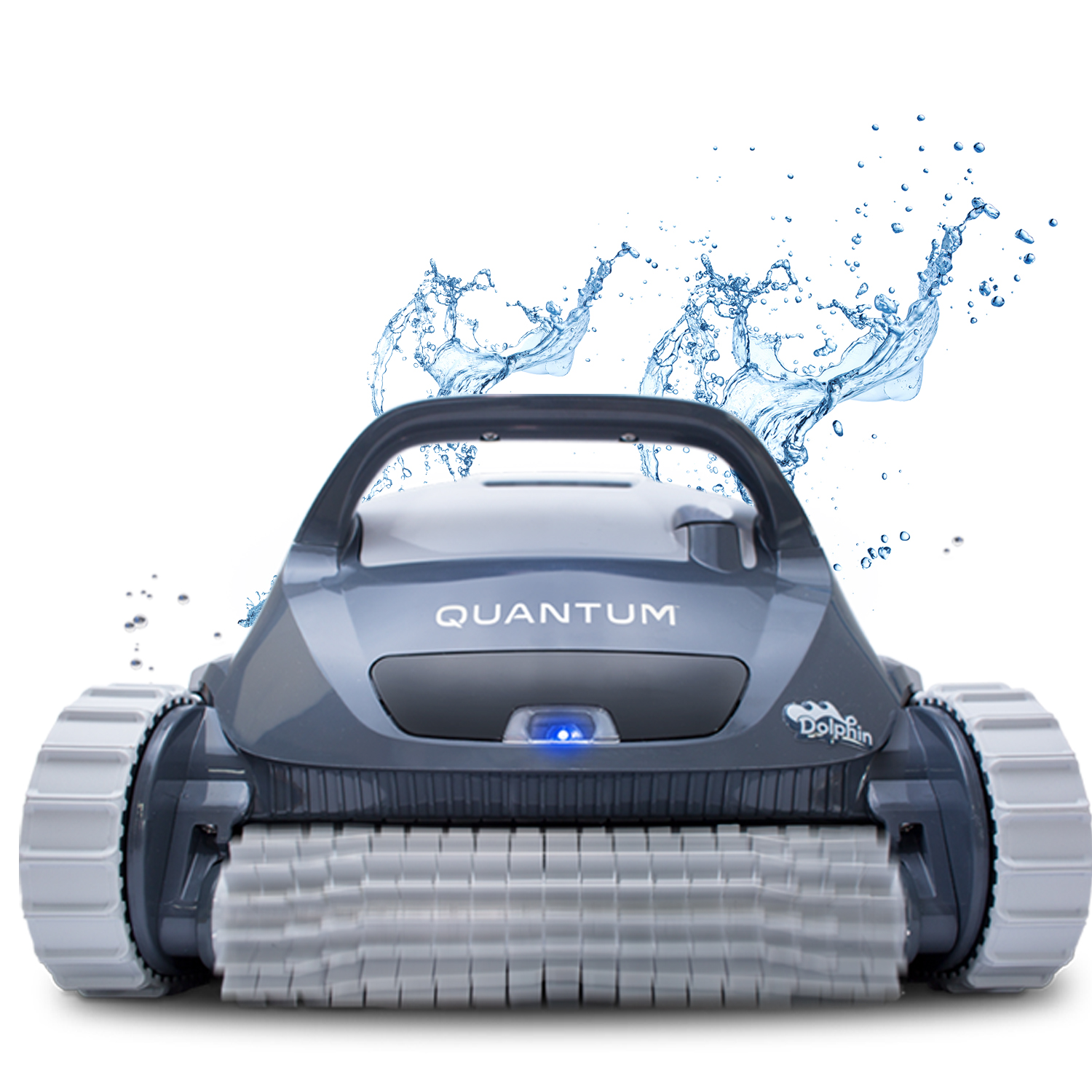
Dolphin Quantum
The Quantum is here for the owner who typed Bluetooth and meant an app. Its myDolphin Plus app runs over Wi-Fi: start, stop, schedule, cleaning modes and alerts. Bluetooth is not on its spec sheet, and we will not suggest it is. If your Wi-Fi reaches the spot where the power supply sits, you get phone control at a clearly lower price than the first pick.
And if the network is weak, the Quantum does not leave you stranded. Its weekly timer is set on the power supply, every day, every 2 days or every 3 days, with no phone and no signal of any kind. For many owners that timer, not a radio, is what keeps the pool clean. The robot covers floor, walls, waterline, sun shelves and stairs.
- Best for
- Owners with Wi-Fi at the equipment pad, or who would be satisfied with a timer and no phone at all.
- The trade-off
- No Bluetooth listed, so there is no direct phone link when Wi-Fi is out of reach. The warranty is 2 years.


Side by side
Sigma and Quantum connectivity compared.
| Specification | Dolphin Sigma | Dolphin Quantum |
|---|---|---|
| Price today | $2349 | $1599 |
| Cleans | Floor, walls and waterline | Floor, walls, waterline, sun shelves and stairs |
| Scheduling | Weekly scheduler by day and time | Weekly timer: every day, every 2 days or every 3 days |
| App | myDolphin Plus (Wi-Fi and Bluetooth) | myDolphin Plus (Wi-Fi) |
| Filtration | NanoFilters and standard filter cartridges | XXL MaxBin basket with standard and NanoFilter panels |
| Brushes | Quad scrubbing brushes | Dual HyperBrush |
| Navigation | SmartNav 3.0 with gyroscope | SmartNav 2.0 |
| Cable | 55 ft with 360° anti-tangle swivel | 55 ft with anti-tangle swivel |
| Warranty | 3 years | 2 years |
What to look for
What Bluetooth does, and what it does not.
-
A direct link, no network needed
Bluetooth connects a phone to the power supply without passing through a router. That matters where the home Wi-Fi does not reach the equipment, in a detached pool house, or at a property with no permanent internet. If the phone is nearby, the app works.
-
Short range by design
Bluetooth is a poolside link. It is good for setup, for starting or stopping a cycle while you are in the yard, and for changing a schedule on the spot. It will not reach from the office or the airport. Control from elsewhere is a Wi-Fi job.
-
An easier first setup
A direct connection is a straightforward way to get a connected robot started: stand next to the power supply, open the app, connect. A robot with both radios gives you that on day one and a network connection for everything after.
-
The rest of the robot
Bluetooth is a small part of what you pay for. The robot that has it here is also the one with the most motors and brushes and the highest price. If connectivity is the only thing drawing you to it, check whether fixing your Wi-Fi costs less.
Bluetooth and Wi-Fi do different jobs.
The two radios are not rivals. Bluetooth is a short hop between your phone and the power supply. It needs nothing else: no router, no internet, no network password. That is its strength and its limit, because the phone has to be close. Wi-Fi joins the power supply to your home network, and through it to your phone wherever the phone is, which is what makes it possible to start a cycle from somewhere else. The table sets out which link handles which task.
| Task | Bluetooth | Wi-Fi |
|---|---|---|
| Pair and set up beside the pool | Yes | Yes, if the signal reaches |
| Start a cycle from the yard | Yes | Yes |
| Start a cycle from inside the house | Depends on distance and walls | Yes |
| Start a cycle from somewhere else | No | Yes |
| Works with no home network | Yes | No |
Before you buy for Bluetooth, test the cheaper fix.
The usual reason to want Bluetooth is that Wi-Fi is weak at the pool. That problem often has an inexpensive answer. Stand where the power supply will go, on your home Wi-Fi, and see what your phone gets. If there is a signal but a poor one, moving the power supply to the house side of the pool, within cable reach, may be enough. If there is none, a mesh node or outdoor-rated extender on that side of the house usually brings one.
If the yard defeats all of that, or the property has no permanent internet, Bluetooth is the right tool and the Sigma is the robot. And if what you want is simply a pool that cleans itself on a routine, a timer on the power supply needs no radio. The Quantum and the Premier each have a three-preset weekly timer there.
Why the link is to the power supply, not the robot.
A common worry is whether Bluetooth can reach a robot at the bottom of the deep end. It does not have to. Radio signals fade quickly in water, so the phone connects to the power supply, which sits on the deck and is joined to the robot by its cable. That is why range is measured from the power supply: put it near where you tend to sit, within the setback the manual requires, and the connection will be at its best.
Using Bluetooth control well.
- Place the power supply on the side of the pool where you usually sit, back from the water by the distance in the manual, so your phone is in range when you want it.
- Pair the phone while standing next to the power supply, then walk away with the app open to learn where the link drops.
- Add the robot to your Wi-Fi as well if the signal reaches. Bluetooth then becomes the backup, not the only route.
- Set the weekly schedule once the connection is made, so the robot does not depend on your phone being in the yard.
- Keep a filter day. A filter alert helps, but the cartridges still come out by hand.
Questions, answered
Bluetooth questions.
Does the Dolphin Quantum have Bluetooth?
Bluetooth is not listed for the Quantum, and we do not claim it. Its myDolphin Plus app connects over Wi-Fi, with start, stop, scheduling, cleaning modes and alerts. If your Wi-Fi reaches the power supply, that covers the usual reasons to want phone control. If it does not, the Sigma is the robot here that lists Bluetooth.
How far does the signal reach on a robotic pool cleaner with Bluetooth?
Think of it as a poolside link. A range figure is not among the published specs, and walls, distance and other devices all shorten it. It is meant for standing in the yard near the power supply, not for the far end of the house. For control from farther away, the connection to use is Wi-Fi, which the Sigma also has.
Can I use Bluetooth and Wi-Fi on the same robot?
On the Sigma, yes: its app is described as working over Wi-Fi and Bluetooth. That gives you a direct connection when you are at the pool and a network connection when you are not, provided the Wi-Fi reaches the power supply. If it never will, the Bluetooth link still gives you app control whenever you are close by.
Do I need my phone every time the robot runs?
No. Once a schedule is set, the robot follows it without the phone present. On the Sigma the weekly scheduler is set in the app, by day and time. On the Quantum you can schedule in the app or use the timer on the power supply, which never needs a phone. The phone is for changes, extra cycles and alerts.
Is Bluetooth worth paying for on a pool robot?
Only if it solves a problem you have. If your Wi-Fi reaches the pool equipment, Bluetooth adds little beyond an easy first setup. If it does not, Bluetooth is the difference between having app control and not having it. Remember what else comes with the Sigma: a third motor, four brushes, a gyroscope and a 3-year warranty. Buy it for the whole robot.
The bottom line
The Bluetooth decision.
If you need a phone link that works without your home network, buy the Sigma; it is the one robot of the five compared here that lists Bluetooth, and it is a very capable robot besides. If what you need is app control and your Wi-Fi reaches the power supply, or can be made to, buy the Quantum and keep the difference. And if what you need is a pool cleaned on a routine with no phone, a power-supply timer does that with no radio at all.
More buying guides
