



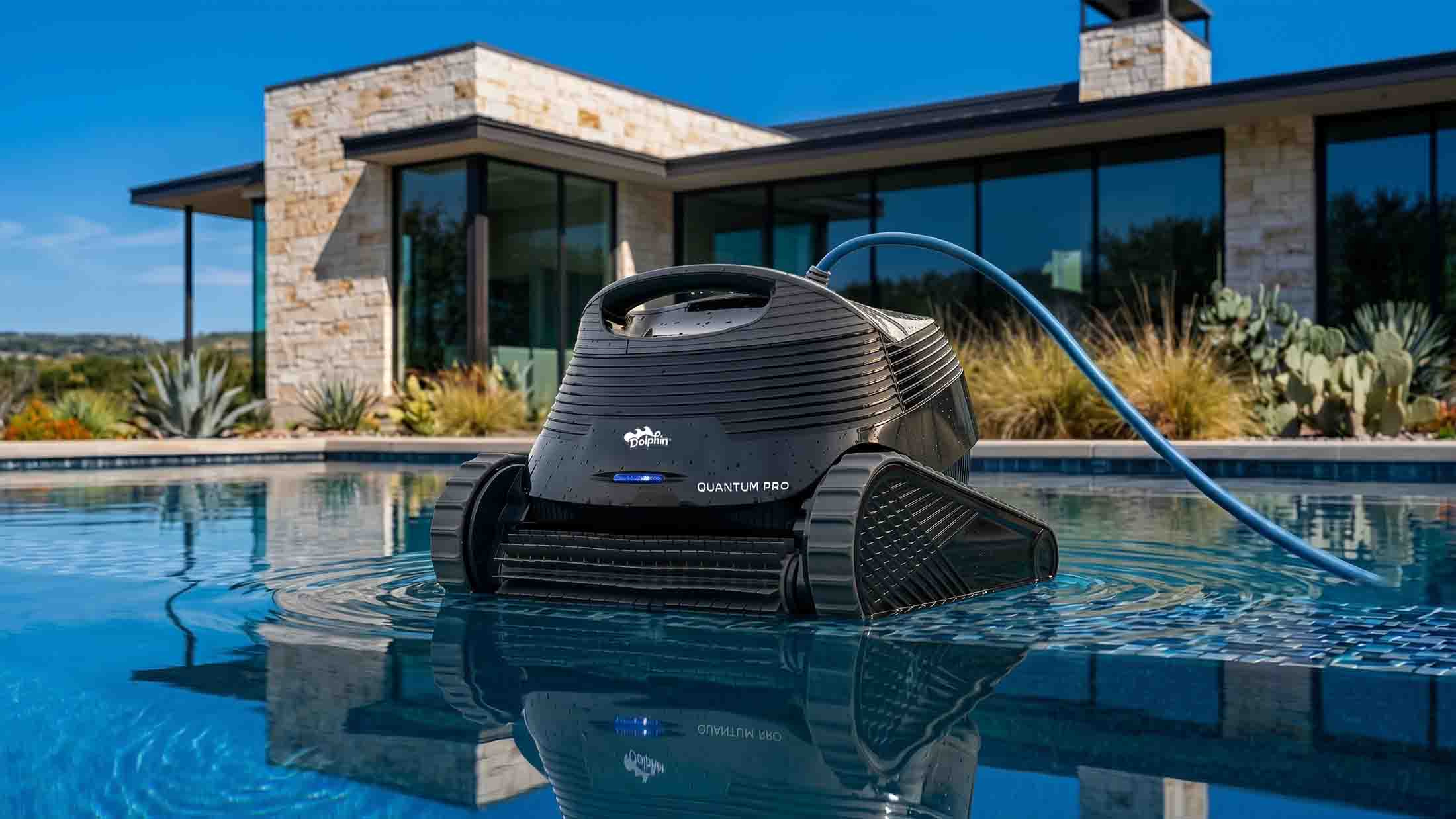
By feature
The best robotic pool cleaner with WiFi and app control.
Top pick: Dolphin Quantum
Live prices · Ships free · 30 Day Trial
An app lets you start, stop and schedule a robot from the house. It does not empty the filter, and it only works where your Wi-Fi reaches.
The quick answer
The Dolphin Quantum is our pick for Wi-Fi: the myDolphin Plus app starts and stops it, schedules it, changes cleaning modes and sends alerts, and it is the lower-priced of the two connected robots here. The Dolphin Sigma adds Bluetooth, a filter-full alert, a day-and-time scheduler and Siri voice control, at the highest price. The other three Dolphins compared here have no app.
A robot with an app sounds like a gadget until the first evening you look out at a pool full of leaves, pick up your phone, and start a cycle without finding your shoes. That is the practical case for a robotic pool cleaner with WiFi: control from wherever you are, a schedule you can change in a few taps, and an alert when something needs attention.
It is also a feature with fine print. The connection is made at the power supply, so your home network has to reach it. The app runs the robot; it does not empty it. And if you came looking for the best robotic pool cleaner with app control, the list at QuantumRobotic.com is short: two of the five Dolphins these guides compare. The Premier, Cayman and Escape have no app, and every control they have is on the power supply.
The picks, ranked
The two connected robots, ranked.
$1999$1599Save $400 off the list price
Temporarily out of stock
Pick 1: Wi-Fi app at the lower price, with a timer too
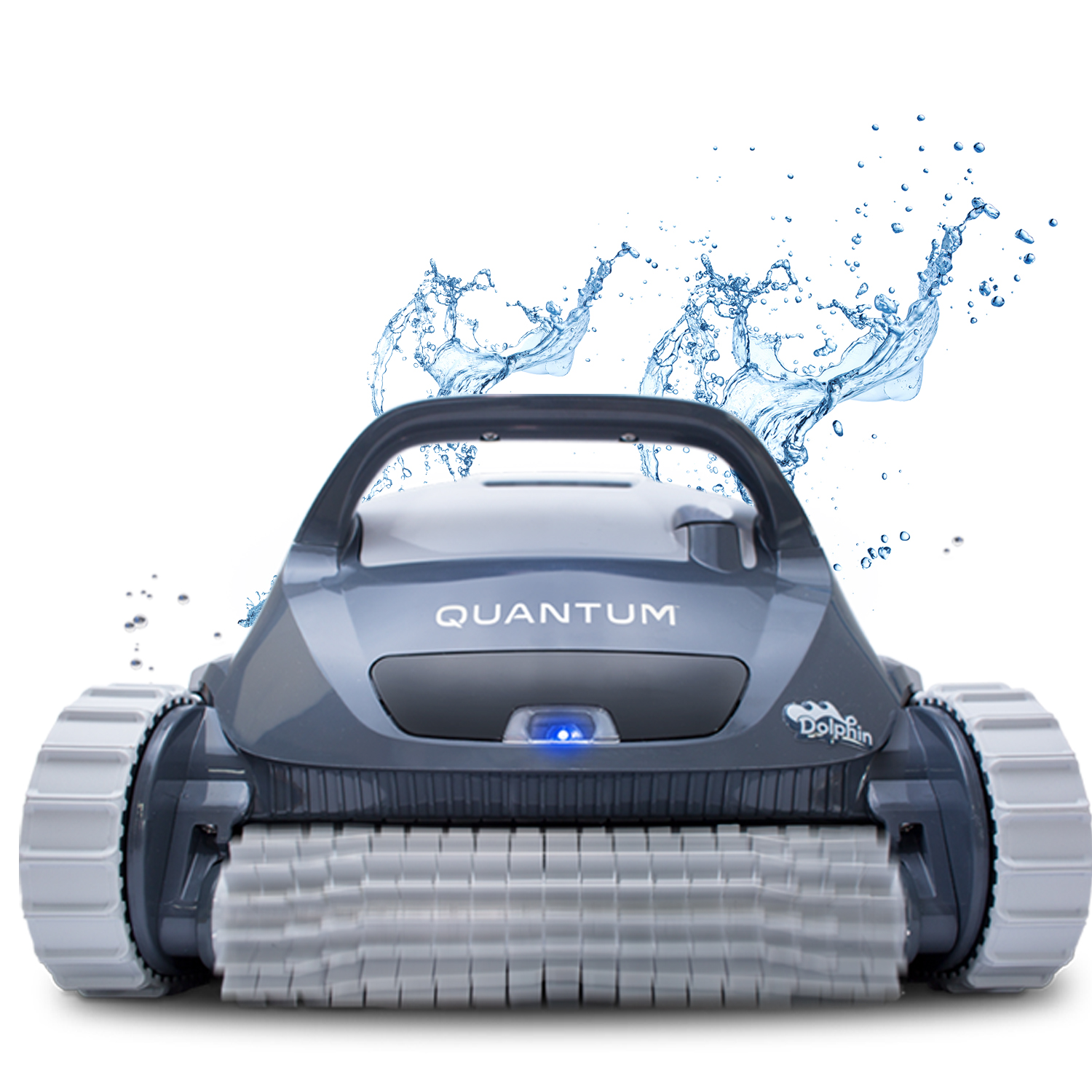
Dolphin Quantum
The Quantum's myDolphin Plus app connects over Wi-Fi and covers the everyday controls: start, stop, schedule, cleaning modes and alerts. You can start a cycle from the kitchen after a windy afternoon, or set a schedule and leave it. Of the two robots here with an app it is the lower-priced, and it is the lowest-priced 50 ft robot in this guide.
What makes it the safer connected purchase is that the app is not the only control. The weekly timer on the power supply runs a cycle every day, every 2 days or every 3 days with no phone and no network, so a dead router never means a dirty pool. Around the app is a complete robot: floor, walls, waterline, sun shelves and stairs, an XXL top-load MaxBin, and NanoFilter panels in the box.
- Best for
- Owners with usable Wi-Fi at the equipment pad who want app control without paying the top price.
- The trade-off
- Bluetooth is not listed for it, so a weak Wi-Fi signal at the power supply means no app control. The warranty is 2 years.
$2999$2349Save $650 off the list price
Temporarily out of stock
Pick 2: Wi-Fi plus Bluetooth, alerts and Siri
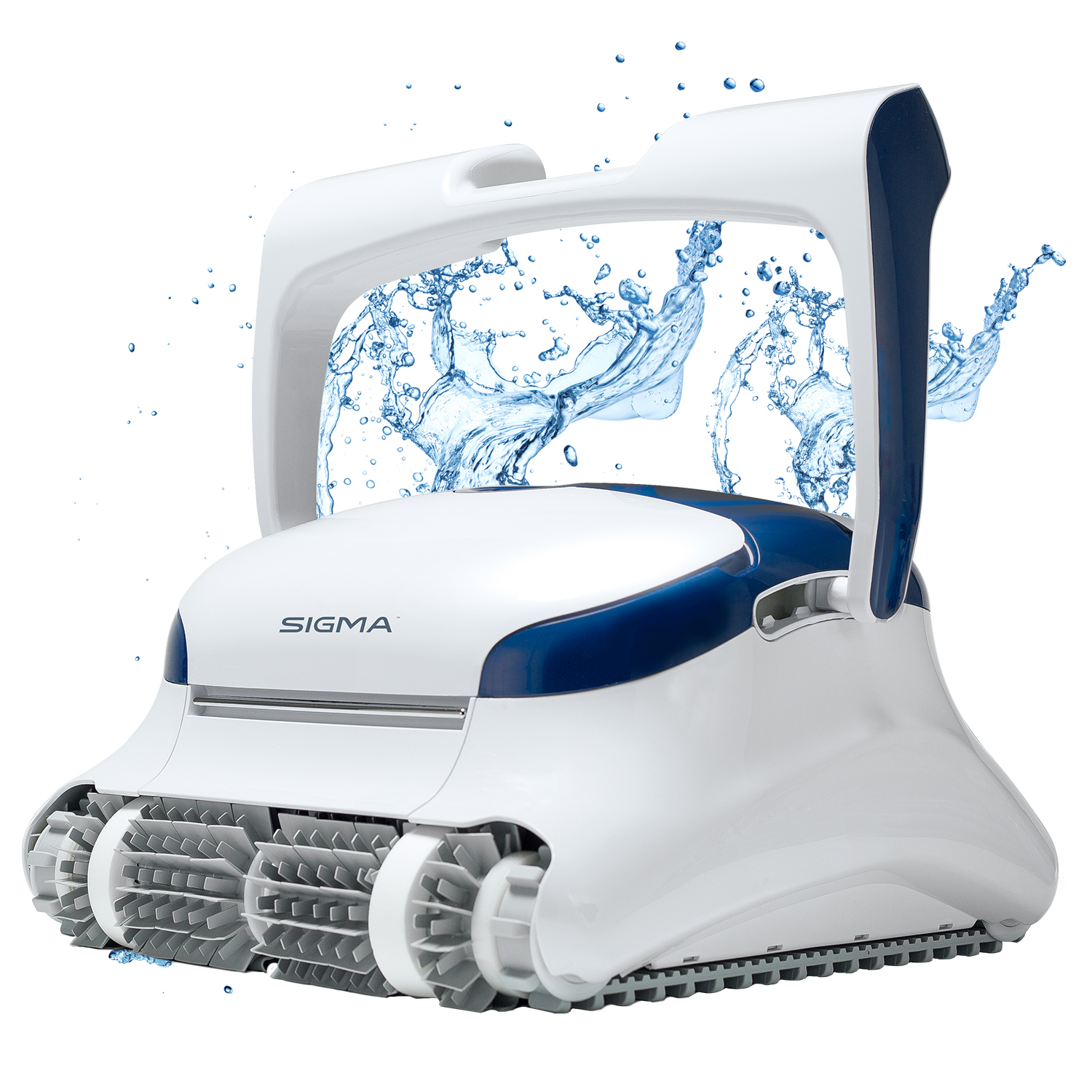
Dolphin Sigma
The Sigma has the longest list of connected features here. Its myDolphin Plus app works over Wi-Fi and Bluetooth, so you have a network connection for control from the house and a direct one for standing at the pool. The weekly scheduler sets cycles by day and time. The app raises a filter alert when the cartridges need cleaning, and Siri voice control is included.
It is second for the plainest of reasons: it is the highest-priced robot on the page, and the app features most people use every week, start, stop and schedule, are on the first pick too. What the extra money buys beyond the app is real: three ProLine motors, quad brushes, gyroscope navigation and a 3-year warranty.
- Best for
- Owners whose Wi-Fi is unreliable at the pool, and anyone who wants filter alerts and exact scheduling.
- The trade-off
- Highest price on the page, and scheduling lives in the app. At 24.6 lb it is heavy to lift, and its filters are cartridges.


Side by side
App and connectivity, side by side.
| Specification | Dolphin Quantum | Dolphin Sigma |
|---|---|---|
| Price today | $1599 | $2349 |
| Cleans | Floor, walls, waterline, sun shelves and stairs | Floor, walls and waterline |
| Scheduling | Weekly timer: every day, every 2 days or every 3 days | Weekly scheduler by day and time |
| App | myDolphin Plus (Wi-Fi) | myDolphin Plus (Wi-Fi and Bluetooth) |
| Filtration | XXL MaxBin basket with standard and NanoFilter panels | NanoFilters and standard filter cartridges |
| Brushes | Dual HyperBrush | Quad scrubbing brushes |
| Navigation | SmartNav 2.0 | SmartNav 3.0 with gyroscope |
| Cable | 55 ft with anti-tangle swivel | 55 ft with 360° anti-tangle swivel |
| Warranty | 2 years | 3 years |
What to look for
What to check before paying for an app.
-
What the app actually does
Start and stop are the basics. Scheduling, cleaning modes and alerts are what make an app worth opening twice. Read the list for the specific robot: the two here share an app name, and their feature lists are not identical.
-
Wi-Fi where the power supply sits
The robot works under water, where radio does not travel well, so the wireless link is made by the power supply on the deck. If your home Wi-Fi does not reach that spot, the app cannot reach the robot. Test the signal there with your phone first.
-
Wi-Fi alone, or Wi-Fi and Bluetooth
Wi-Fi is what allows control from indoors or from away. Bluetooth is a short-range link between phone and power supply that needs no network, useful at the poolside and during setup. The Sigma lists both. The Quantum lists Wi-Fi.
-
A way to run it without the phone
Phones get replaced and routers get changed. Ask what the robot does on the day the app is unavailable. The Quantum keeps a weekly timer on the power supply that needs no phone or network, so the cleaning routine does not hang on the connection.
What the app does not do.
It is easy to picture an app as the end of pool chores. It is the end of one chore: walking out to press start. The robot still collects debris in a filter that fills, and no app empties it. Expect to lift the robot out at least once a week to empty and rinse that filter, and more often when leaves are falling. The app does not lift the robot out before you shock the pool, and it does not test or balance the water.
There is a quieter limit. An app can tell a robot to run; it cannot tell you the pool is clean. After a storm, look at the pool, empty the filter, and then start the cycle from your phone.
Check your Wi-Fi before you check out.
When a connected robot disappoints, the cause is usually the network, not the robot. Decide where the power supply will sit: near an outlet, back from the water by the distance in the manual. Stand there with your phone on the home Wi-Fi and load a web page. If it is slow or drops, the robot's connection will struggle too.
The fixes are ordinary: move the power supply to the side of the pool nearer the house, or add a mesh node or extender on that side. Check the manual for the Wi-Fi band the power supply uses before buying networking gear. If none of that appeals, choose on the other features. The Sigma's Bluetooth works at the poolside without a network, and the Quantum's power-supply timer works without any connection at all.
If you would rather not have an app.
Plenty of owners do not want a pool robot on their phone, and three of the five Dolphins compared here suit them. The Premier, Cayman and Escape have no app and no wireless control; everything is on the power supply. The Premier has a weekly timer with three presets and a full-filter indicator. The Cayman has a timer with one setting, every day. The Escape starts when you press the button.
The Quantum sits between the two camps. You can ignore its app completely and run it from the timer on the power supply, then set the app up later if you change your mind. Nothing about the way it cleans depends on being connected.
Setting up app control without the headaches.
- Test the Wi-Fi signal at the power supply's spot before the robot arrives, and fix the network first.
- Install myDolphin Plus and pair the robot on day one, while the instructions are in your hand.
- Set a schedule in the app, then start one cycle from indoors to confirm the connection holds from where you will actually use it.
- On the Quantum, learn the timer button on the power supply as well, so you have a no-phone routine if the network changes.
- Turn on alerts, and still pick a weekly filter day. An alert you swipe away does not rinse the filter.
Questions, answered
Wi-Fi and app questions.
Does a robotic pool cleaner with WiFi work without an internet connection?
The robot cleans without any connection; the app features are what need it. On the Quantum, the weekly timer on the power supply runs cycles with no phone or Wi-Fi, so cleaning continues through an outage. On the Sigma, Bluetooth gives you a direct link from a phone at the poolside. Control from a distance needs working Wi-Fi at the power supply.
My Wi-Fi is weak by the pool. Which robot should I choose?
The Sigma, or fix the Wi-Fi. The Sigma's app also connects over Bluetooth, which links your phone to the power supply directly when you are near the pool. The Quantum lists Wi-Fi alone, so it needs a usable signal where the power supply sits. A mesh node or extender on the pool side of the house is often the cheaper answer.
Can I control the robot when I am not at home?
With Wi-Fi, yes in principle: the Quantum and the Sigma both connect through your home network, which is what makes control from elsewhere possible. Bluetooth by itself does not, because it is a short-range link. Keep expectations practical: starting a cycle from a distance is useful, but someone still has to empty the filter.
Why is there no app for the Premier, Cayman or Escape?
Those three are built around controls on the power supply, and none of them has a wireless link. The Premier has a three-preset weekly timer and a full-filter indicator there. The Cayman has a daily timer. The Escape has a start button. If you want phone control, the Quantum is the lowest-priced robot here that offers it.
Does the app tell me when the filter is full?
On the Sigma, yes: a filter alert in the app is a listed feature. The Quantum's app sends alerts as part of its feature list; check the app for the ones that apply to your robot. Either way, treat an alert as a backstop and keep a weekly filter day, because a robot waiting on an alert has already been cleaning on reduced flow.
The bottom line
Which connected robot to buy.
Start with the signal. If your home Wi-Fi reaches the spot where the power supply will sit, buy the Quantum: it has the app features that matter, the lower price, and a timer that works when the network does not. If the signal is poor and you will not extend it, or you want filter alerts, day-and-time scheduling and Siri, buy the Sigma. If you would not open the app after the first month, save the money and look at a robot with a timer on the power supply.
More buying guides
